 Lens
Lens
Lens App: Free Lens AI Image Search & Identifier
Upload a photo to identify it in seconds — plants, animals, products, coins, rocks, food, and more. Try it free here, or get the app for unlimited scans.
Tap to scan your photo
or drag & drop • JPG, PNG, WebP, HEIC • Max 50MB

Analyzing with AI…
Matching visual features and similar results


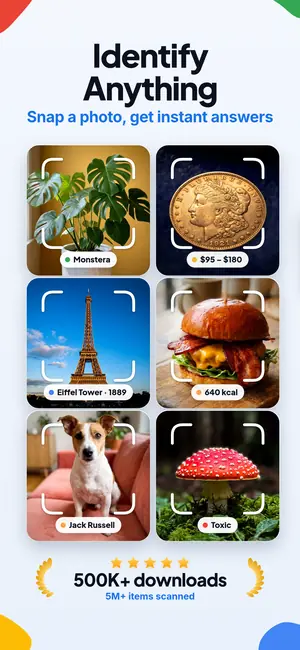

What is this thing in my photo?
When you ask “what is this,” upload a clear photo of one subject and let AI visual search name it with useful context. Lens App identifies plants, animals, products, coins, food, and everyday objects free on iPhone, Android, and the web. One free web scan per day; unlimited scans in the mobile app.
Lens App is a free AI reverse image search and photo identifier app. A photo can reveal a likely name for an unfamiliar object, plant, animal, product, coin, dish, or landmark. That is what people mean by AI image search or a lens search: the photo itself is the query.
Identify anything in a photo
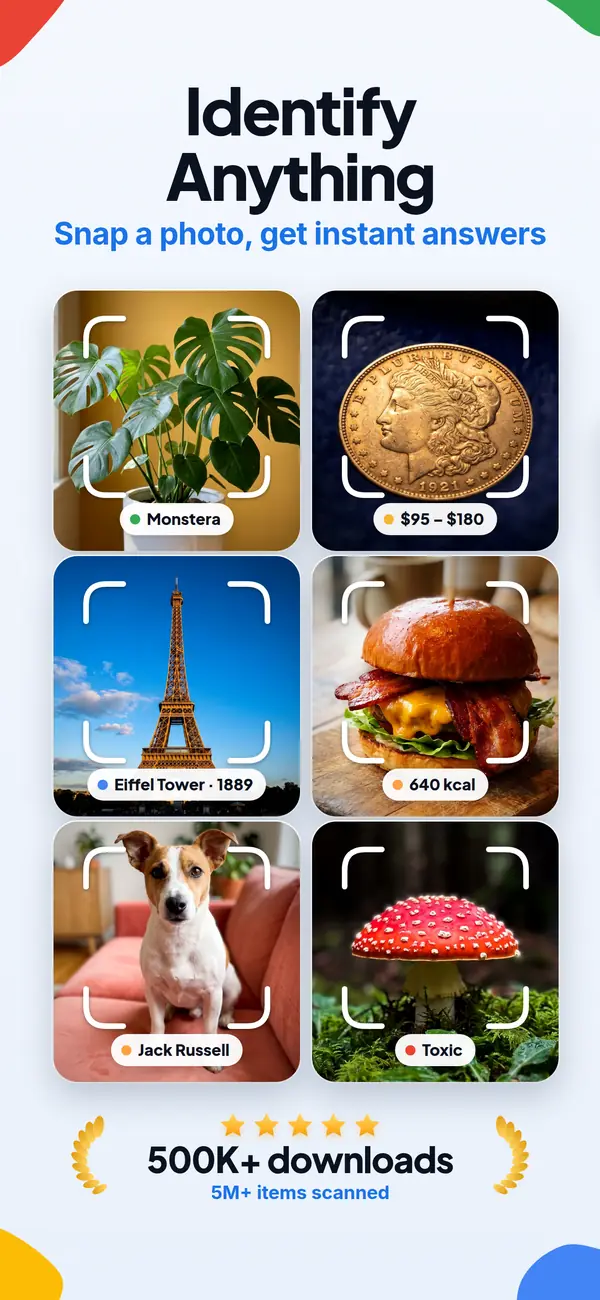
Lens App can identify the subject, run a reverse image search, translate visible text, or look for product prices from the same photo. Take a photo or upload an image to recognize unfamiliar objects and get useful details in seconds.
Recognize Plants, Animals, Dogs and Insects
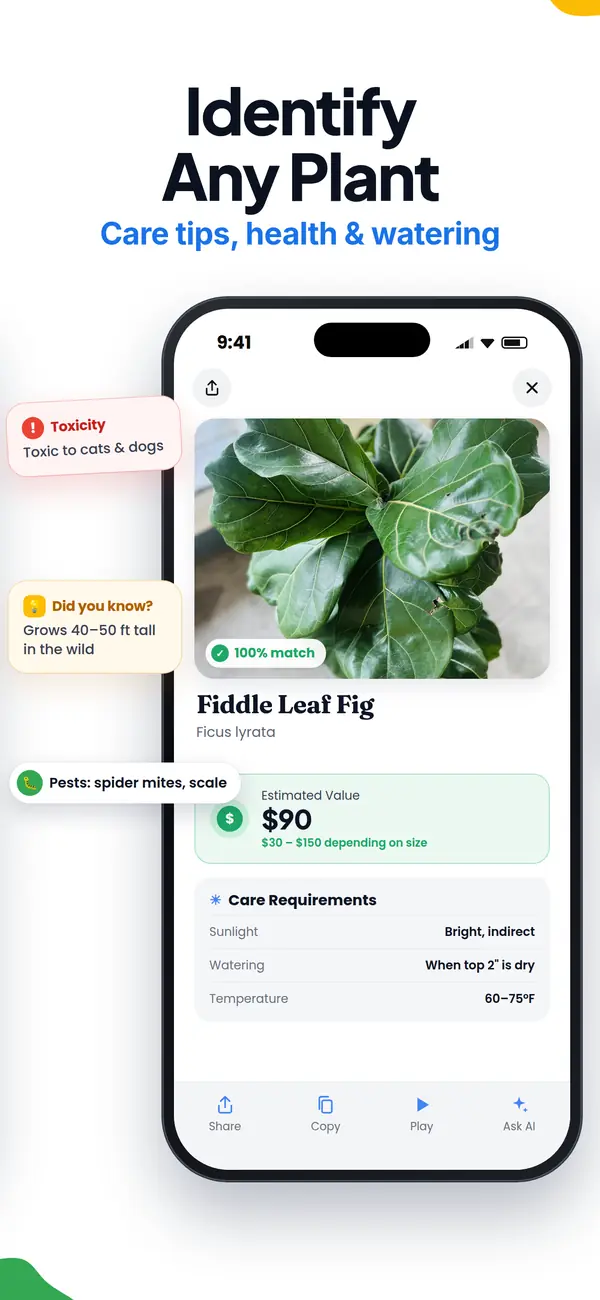
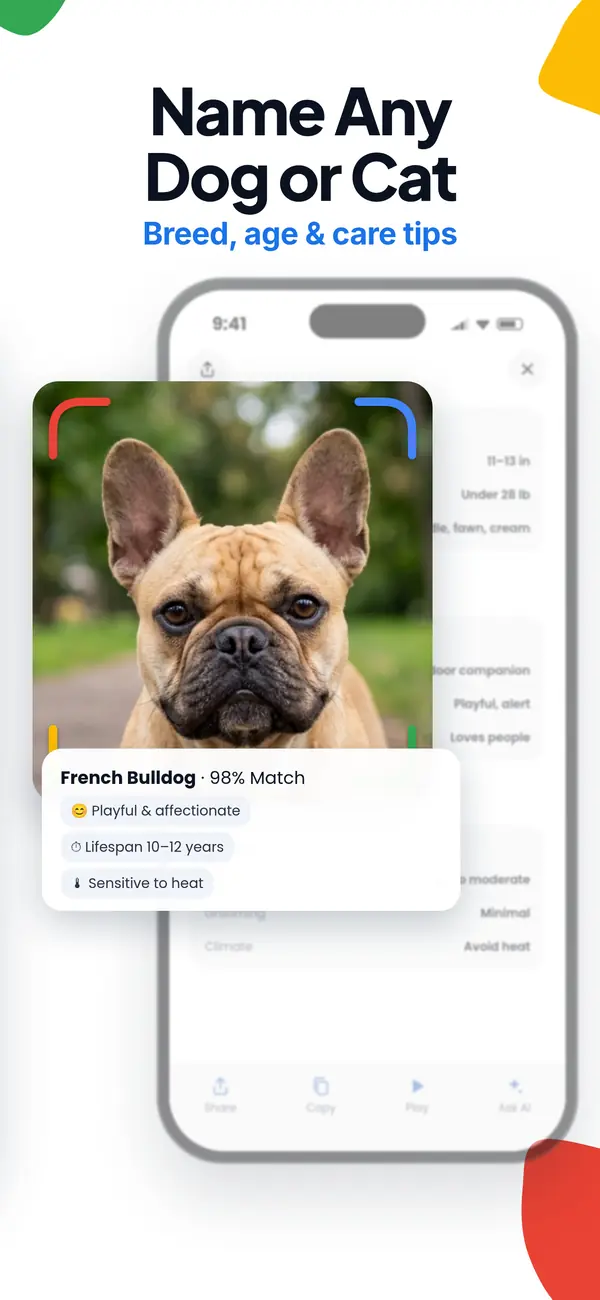
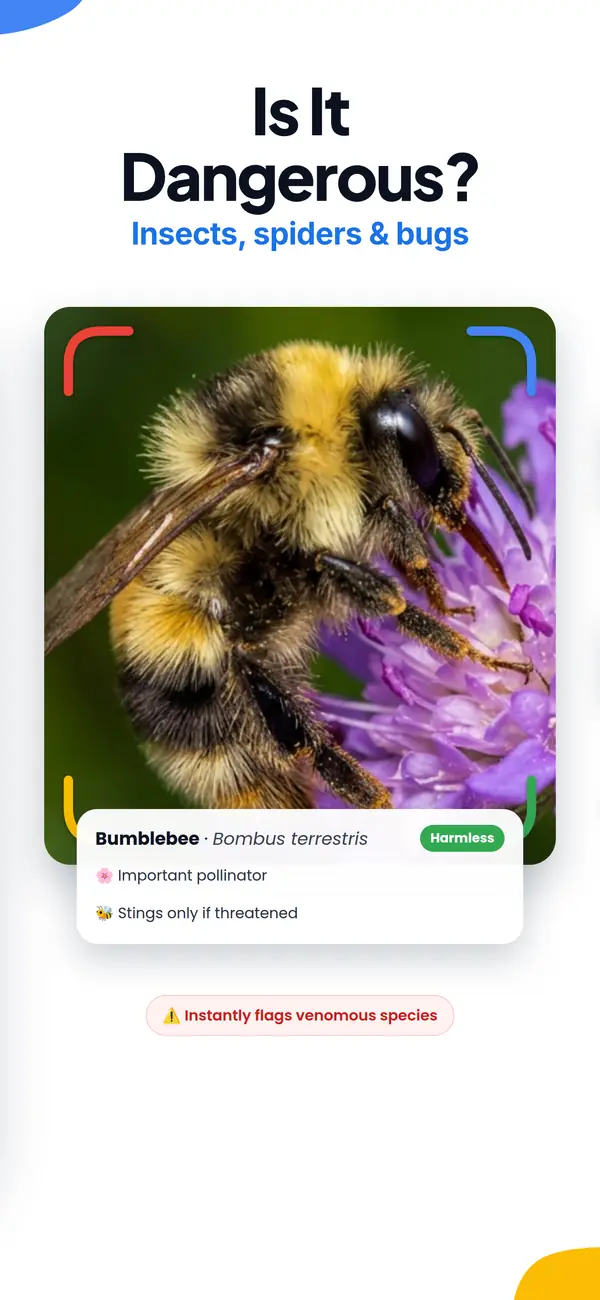
Explore the natural world by scanning a leaf, flower, animal or bug. Get likely species matches, distinguishing characteristics and helpful context, whether you are identifying a garden plant, checking a dog breed or wondering if an insect may be dangerous.
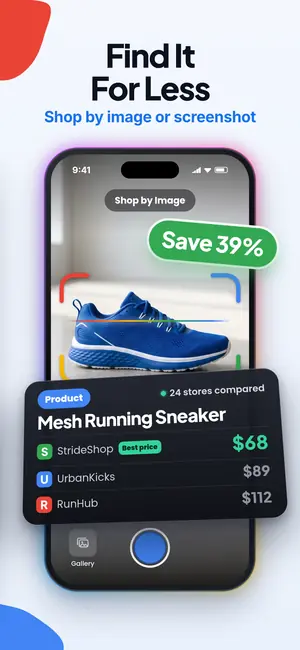
Shop by Image and Find a Better Price
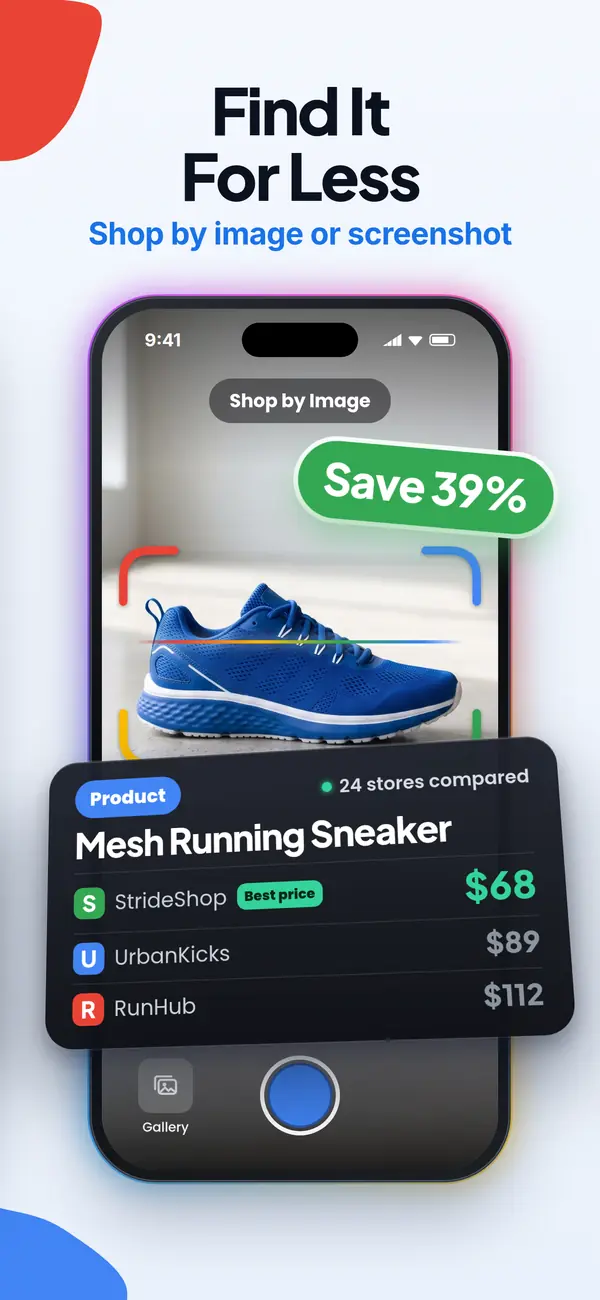
Photograph clothing, shoes or another product to find visually similar items online. Compare listings and prices, discover possible matches and track down an item even when you do not know its name, model or brand.
Discover What an Item May Be Worth
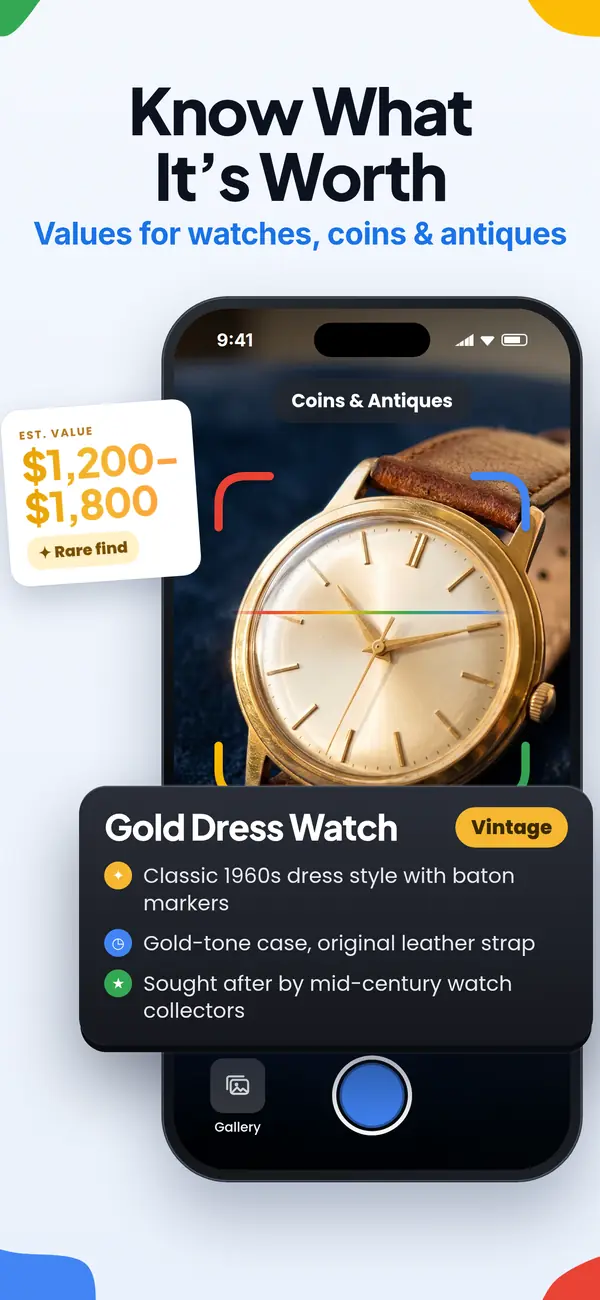
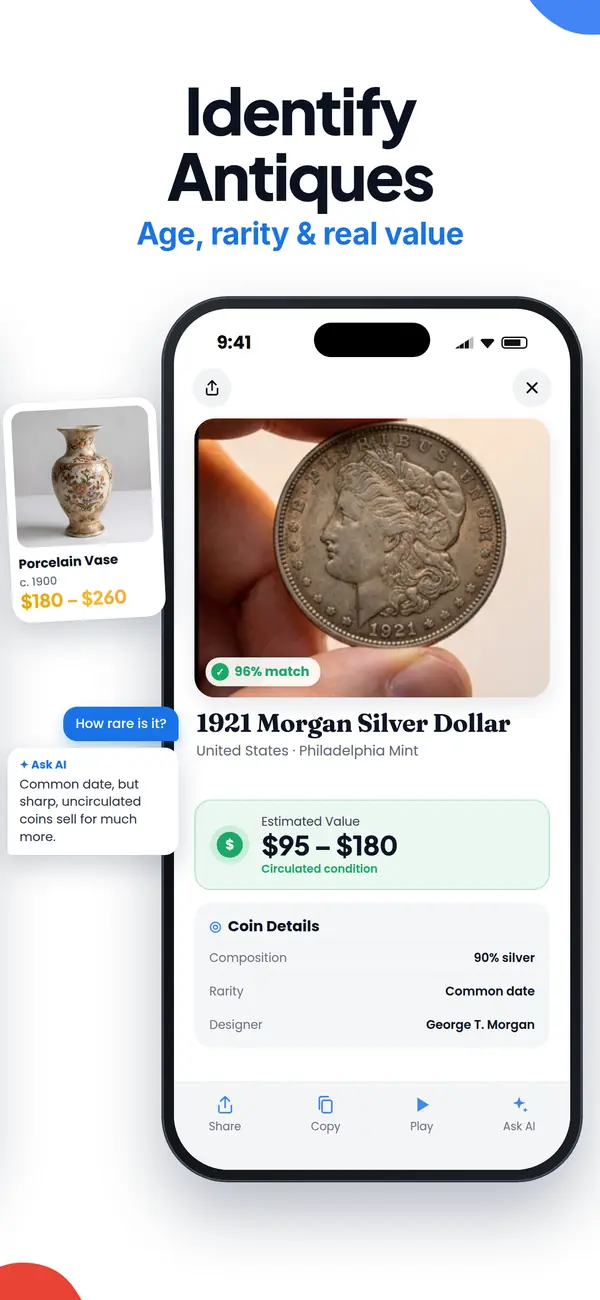

Scan coins, antiques, jewelry and collectibles to uncover likely identification details and value clues. Review comparable items and relevant characteristics before deciding whether to keep, sell, insure or investigate how much it is worth.
Translate Text Through Your Camera
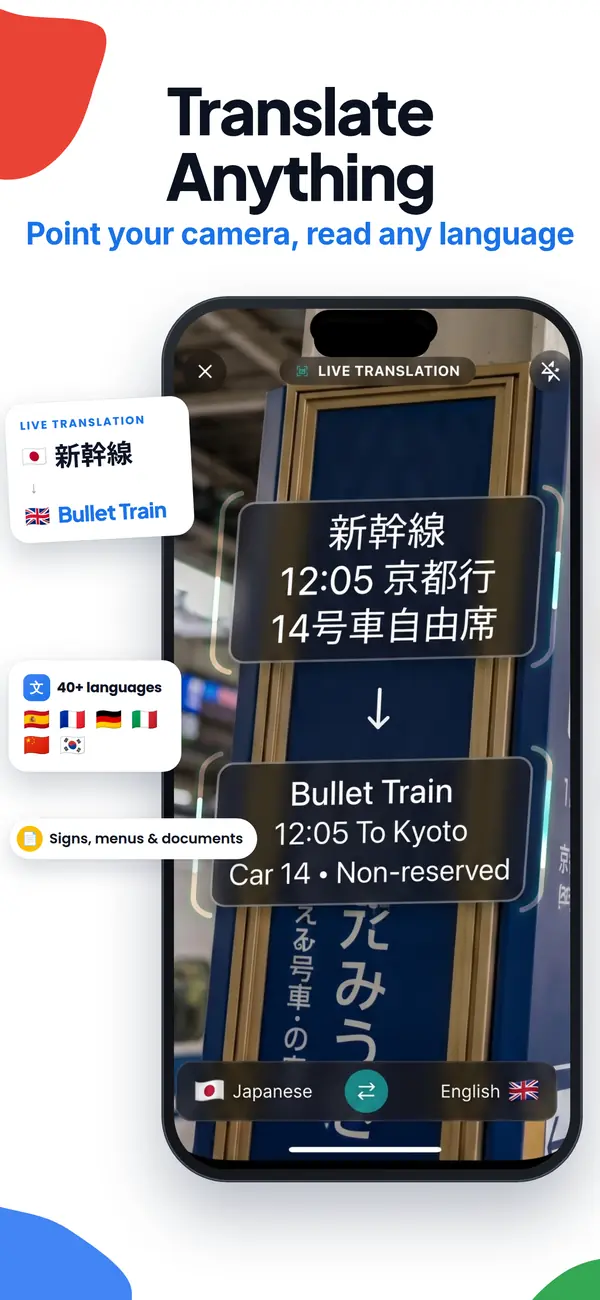
Point your camera at signs, documents, labels or study materials to understand text in another language using OCR. You can also upload a saved image for translation or scan a homework question to get homework help from a photo with a clear explanation.
Recognize Landmarks and Understand Menus
Scan buildings, monuments and travel photos to identify places and learn why they are notable. At cafés and restaurants, photograph a menu to translate unfamiliar dishes and understand what you are ordering.
For browser-based visual search, check Google Lens alternatives online to compare options for checking images without installing another application.
How Lens AI Works
Lens App is useful because the Lens AI engine combines object recognition and reverse image search with category-specific identifiers in one free mobile tool. It can help with plants, flowers, trees, insects, animals, birds, mushrooms, coins, banknotes, rocks, crystals, food, antiques, landmarks, products, and shopping results.
Lens AI: Scan & Image Search is the official App Store name of Lens App. The underlying field is computer vision, which helps machines interpret visual information. Searches for Lens AI, AI Lens, or AI Lens App often lead to Lens App.
The scanner converts a photo into visual signals, including edges, color gradients, texture, shape, layout, and category markers, then compares them with trained image models. For a plant, it weighs leaf shape and flower structure; for a coin, it examines inscriptions and mint details. The output is a ranked identification, not proof, and sharp, well-lit, centered photos improve accuracy; photos are deleted after analysis. Canva's engineering team explains that reverse image search engines commonly use perceptual hashes to find near-duplicate images.
How to Use an AI Lens Scan App
1. Take or upload a clear photo
Download the Lens app on iPhone or Android, then frame the subject to fill most of the picture. Use a clear gallery image or take a new photo in natural light.
2. Crop out distractions
Remove background clutter, extra objects, fingers, packaging glare, or shadows. A cleaner image gives the model fewer false signals.
3. Start the visual scan
Run the photo through the lens scan app, using its lens scanner to start a lens search online. Wait briefly while it compares your image with known visual categories and similar matches.
4. Review the detailed result
Check the suggested name, category, description, care tips, value estimate, nutrition details, product match, or translation depending on the scan.
5. Verify important findings
Use expert sources for medical, safety, legal, valuation, or edible-wildlife decisions. The Lens AI image lookup is a fast starting point, not final proof.
Lens AI vs Google Lens and Apple Visual Intelligence
| Feature | Lens App | Google Lens | Apple Visual Intelligence |
|---|---|---|---|
| Primary focus | Direct AI identification across many categories | Visual search results and web links | On-device visual assistance within supported Apple experiences |
| Best for | Plants, animals, insects, coins, food, rocks, products, antiques, and reverse lookup | Shopping, landmarks, text extraction, web discovery, and similar images | Quick contextual actions, object awareness, and text-related tasks on newer iPhones |
| Result style | Name, category details, care tips, value clues, nutrition data, or product context | Search results, similar images, websites, maps, and shopping pages | System-level suggestions and visual actions where available |
| Platform availability | iOS and Android | iOS, Android, Chrome, and the Google app | Selected Apple devices and regions |
| Free access | Free daily scans with optional upgrades | Free with Google services | Included on supported Apple devices |
Image search is useful when typed keywords are too vague, letting Lens AI compare the photo directly and surface more relevant matches. Apple Visual Intelligence is built into supported Apple workflows, while the app’s AI Lens identifier is designed for direct multi-category identification. According to Apple's visual intelligence guide, Apple's feature requires a compatible iPhone with Apple Intelligence enabled; compare all three side by side.
What Can Lens App Identify?
Point your camera at anything and use the AI lens to identify it instantly. Lens App uses AI image recognition to tell you exactly what it is, what it means, and where to find it.
Identify flowers, trees, houseplants and weeds from a photo.
Identify garden and wild flowers from bloom and leaf photos.
Identify trees from leaves, bark, fruit and canopy photos.
Identify plants and trees from a clear leaf photo.
Identify insects, spiders and common household bugs from a photo.
Identify spiders from markings, body shape and web photos.
Identify snakes from scale pattern, head shape and color photos.
Identify purebred and mixed dog breeds from a photo.
Identify cat breeds and mixed cats from a photo.
Identify wild and domestic animals from a photo.
Identify backyard and wild birds from a photo.
Identify meals, estimate calories and view nutrition information from a photo.
Identify wine labels and bottles from a photo.
Identify coins, mint marks and estimate collectible value from a photo.
Identify stamps by design, country, marks and era from a photo.
Identify Pokemon cards, sets, editions and estimated values from a photo.
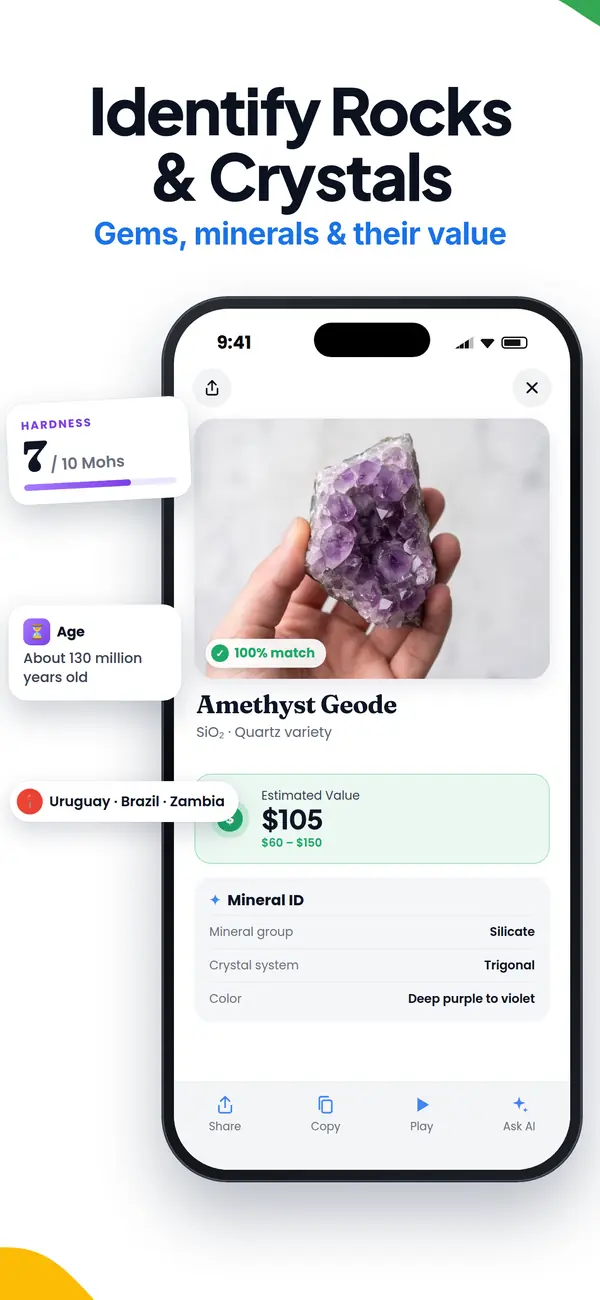
Identify rocks and stones from color, texture and structure photos.
Identify crystals from shape, color and surface detail photos.
Identify gemstones from cut, color and visual stone clues.
Identify minerals from crystal form, luster and color photos.
Identify mushrooms from a photo for reference only.
Find where an image appears online.
Translate text from photos, signs, labels and menus.
Identify freshwater, saltwater and aquarium fish from a photo.
Identify antiques, pottery and collectibles from a photo.
Identify products and find buying options from a photo.
Identify sneaker models, brands and colorways from a photo.
Identify cars from badges, body shape and trim photos.
Identify brand logos from packaging, signs and screenshots.
Recognize landmarks, monuments and buildings from travel photos.
Find where to buy products and compare prices from a photo.
Identify currency and banknotes from a photo.
Lens App uses AI image recognition to identify plants, animals, insects, products, identify clothes, food, coins, antiques, rocks, banknotes and hundreds of other objects from a single photo.
Who uses Lens App
People use Lens App to identify, understand, and compare what they photograph.
- Gardeners photograph plants, flowers, and garden pests
- Collectors photograph coins, stamps, and antiques
- Travelers photograph landmarks, signs, and menus
- Shoppers photograph products, clothing, and price tags
- Students photograph homework questions and study materials
- Pet owners photograph dogs, cats, and other animals
How accurate is Lens App?
Accuracy is strongest with clear, well-lit photos of common subjects; blurry, partial, rare, or lookalike items should be treated as possibilities, not proof.
| Category | Concrete example | Accuracy note |
|---|---|---|
| Plants | Monstera deliciosa | Best with leaves, stems, flowers, or fruit visible. |
| Coins | 1921 Morgan Dollar | Use both sides; condition and mint marks need review. |
| Bugs | Brown marmorated stink bug | Clear top-down photos help separate lookalike insects. |
| Rocks | Amethyst | Color helps, but hardness and streak tests may matter. |
| Products | Nike Air Force 1 | Logos, labels, soles, and packaging improve matches. |
| Antiques | Wedgwood pottery | Marks can suggest origin; value needs an appraiser. |
Consult an expert for medical risk, poisonous plants or mushrooms, pest control, legal evidence, authentication, or resale valuation.
Quick checks before you trust a match
Why did two photo scans give different answers?
Lighting, angle, cropping, and background can change the visual signals. Retake the subject from multiple angles before deciding.
Can I act on a mushroom or plant identification?
Do not eat, touch, treat, or remove anything risky based only on an app result. Use it as a lead, then verify with an expert.
When is a match good enough?
A match is more credible when several visible traits agree: shape, color, markings, material, location, and context.
Frequently Asked Questions
What can AI identify from a photo?
AI can identify a wide range of subjects from a single photo, including plants, animals, insects, birds, mushrooms, coins, banknotes, rocks, crystals, food, products, landmarks, and antiques. Lens App returns the likely name plus category details, with accuracy depending on photo quality and how distinctive the subject is.
Is Lens App free online?
Lens App includes one free web scan per day. The mobile app supports unlimited scans.
Do I need to download the app?
No. You can use the free Lens AI scanner online at lensapp.io for one scan per day directly in your browser. Download the iPhone or Android app when you want unlimited scans, saved history, and offline access to past results.
How accurate is photo identification?
Accuracy is usually strongest when the subject is sharp, centered, well lit, and visually distinctive. It is less reliable for rare species, damaged objects, lookalike mushrooms, blurry photos, or items photographed from odd angles.
Why isn't Lens AI identifying my photo correctly?
Most failed scans come from blurry, dark, cropped, or cluttered photos, or subjects that look similar to many others. Retake the photo in good light with one main subject filling the frame, then try a second angle for a stronger match.
Why use an AI photo identifier instead of typing keywords?
A free AI photo identifier is faster when you cannot describe the object in words. The photo becomes the query, so you can identify a plant, animal, product, rock, coin, or unfamiliar object without knowing its name first.
Can I identify something from a screenshot instead of a photo?
Yes. You can upload a screenshot instead of a camera photo, which is useful for identifying products, plants, or objects you saw in a social post or website. A clear, uncropped screenshot of the main subject gives the best result.
Should I use visual search or choose a dedicated photo identifier app?
Use Google Lens when you want broad web discovery, shopping results, maps, text extraction, and visually similar pages. Choose Lens App when you prefer a direct identification across focused categories, including plants, coins, rocks, food, and antiques. A general engine offers wider connections, while a dedicated identifier app can provide more category-specific details about the photographed subject.
Can Lens App tell if a mushroom is edible?
Lens App can suggest a likely mushroom species from a clear photo, but it cannot determine whether a mushroom is safe to eat. Confirm any mushroom identification with a qualified local expert before touching or eating it.
Can Lens App estimate a coin's value from a photo?
Lens App can identify visible designs, inscriptions, and mint marks, then provide value clues. A coin dealer or grading service must confirm authenticity, condition, rarity, and resale value.